Exchange events
Action used to add or delete an event in the user's calendar available on the Exchange server.
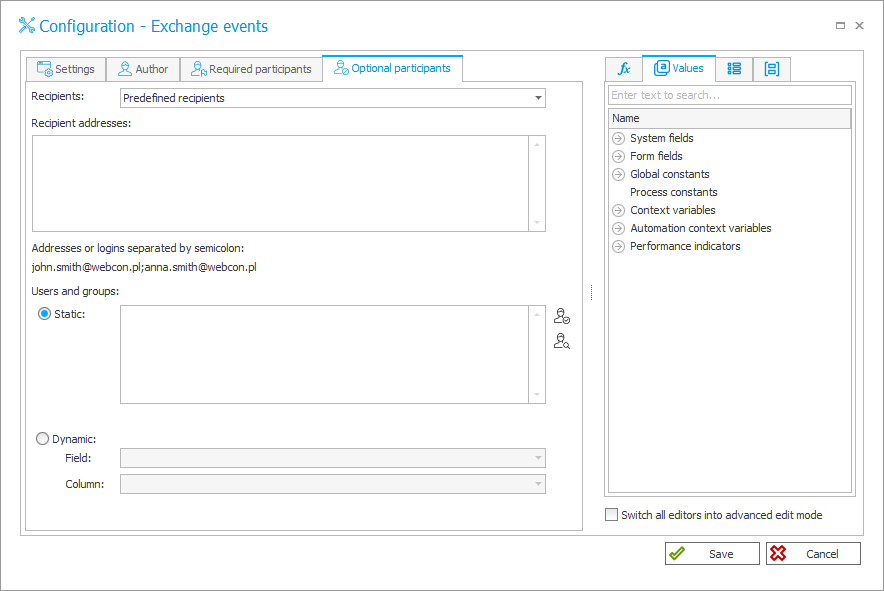
The action configuration window has four tabs: Settings, Author, Required participants, Optional participants.
Settings
Basic configuration of the action (event).
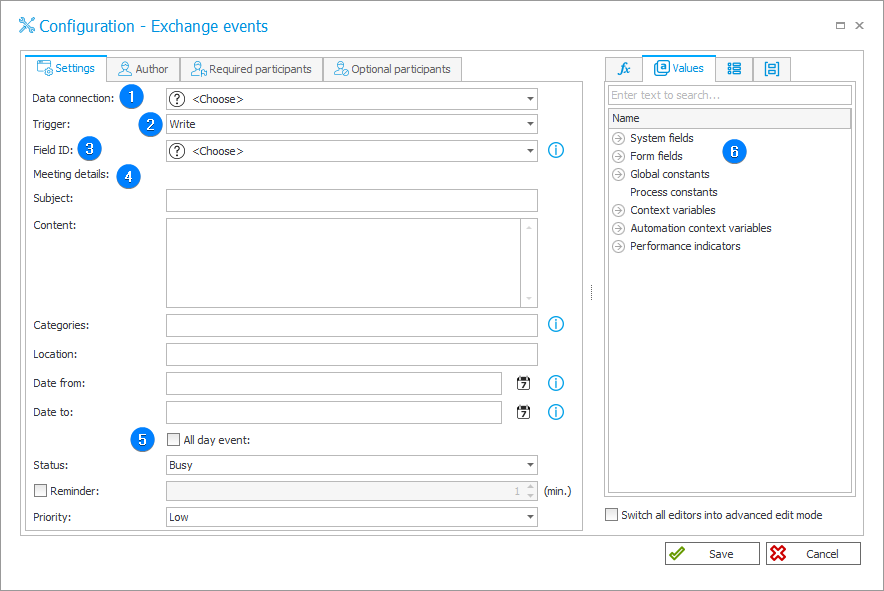
1. Data connection
Field used to define connection to the Exchange Server.
2. Trigger
Allows you to define the behavior of action after it is triggered:
- Write – add a new event,
- Modify – change an event that already exists in the calendar,
- Delete – delete an event from the calendar.
The option selected here affects the availability of other fields of the tab.
3. Field ID
Field ID to which an Exchange identifier will be saved or from which it will be read.
4. Meeting details
Detailed parameters of the meeting, such as date, location, category, subject and content (of the meeting notification).
Separate individual Categories with semicolons, example: Category1;Category2
Dates from/to should be formatted as yyyy-MM-dd HH:mm:ss or field({123}).
5. Other settings
Here you can define whether the meeting will be an All-day event, the Status at the event (free, busy, tentative, out of office, working elsewhere), the timing of any Reminders, and the Priority of the event.
6. Variables editor
Dynamically generated tree containing all variables that may be used in the current location of Designer Studio. Information on how to use variables in WEBCON BPS, as well as a list of variables can be found here.
Author
A tab to indicate the participants of the event/meeting.
The author of the meeting can be only one user. If there are more than one users, then the first user will be named as the author.
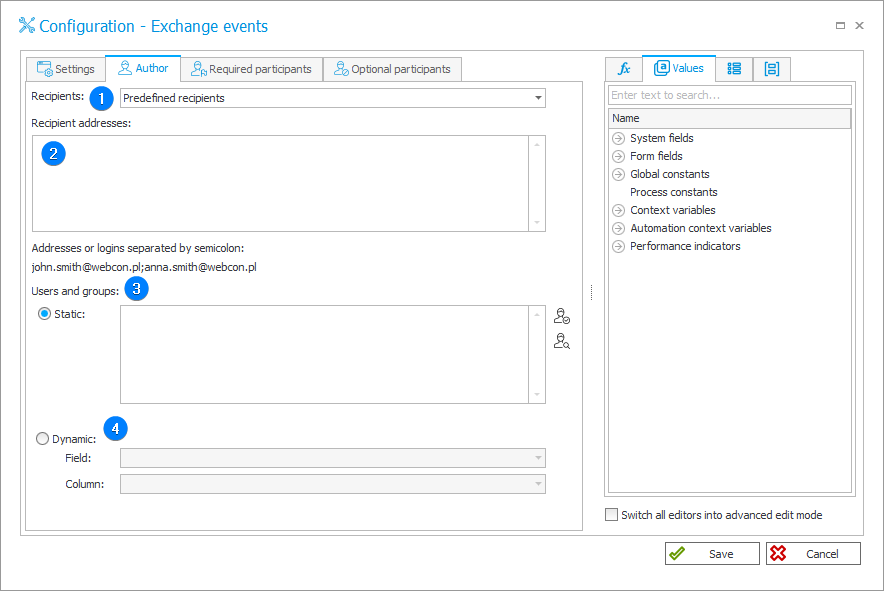
1. Recipients
This field defines location from which the addresses of the meeting participants will be taken:
- All assigned users – users for whom there are tasks on the instance (direct and CC),
- Assigned CC users – users for whom there are CC tasks on the instance,
- Assigned users – users for whom there are tasks on the instance,
- Author – author of the instance,
- Predefined recipients – only users named in the fields Recipient addresses and Users and groups,
- SQL or CAML query.
2. Recipient addresses
Addresses of the meeting participants. They are added to the users from fields: Recipients and Users and groups.
3. Users and groups
Participants of the meeting (also user groups). They are added to the recipients from fields: Recipients and Recipient addresses.
4. Dynamic
Meeting participants defined dynamically based on a form field or an Item list column (e.g. of the Person or group type).
Required participants
The tab allows you to define users whose presence is required at the meeting. A list of those users is created by combing the following lists: Recipients, Recipient addresses, and Users and groups.
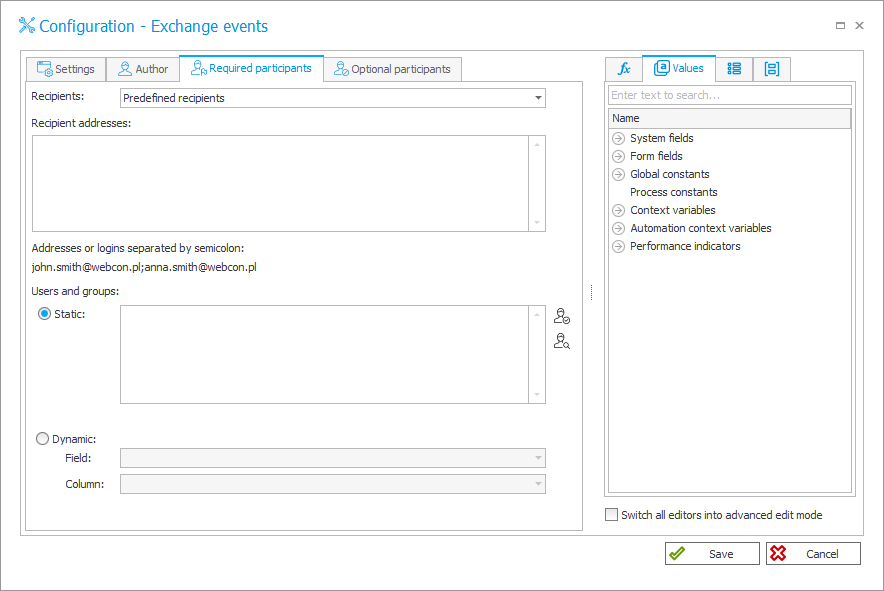
Optional participants
The tab allows you to define users whose presence is optional at the meeting. A list of those users is created by combing the following lists: Recipients, Recipient addresses, and Users and groups.